The Rental Management App
Most property management software lives on a desktop and sends a stripped-down app along as an afterthought. Kelpic® is the opposite: a native iPhone app where you can set up a property, sign tenants, collect rent, and handle maintenance — start to finish, without sitting down at a computer.
Free download · requires iOS 26 or later · Android users can use the web app
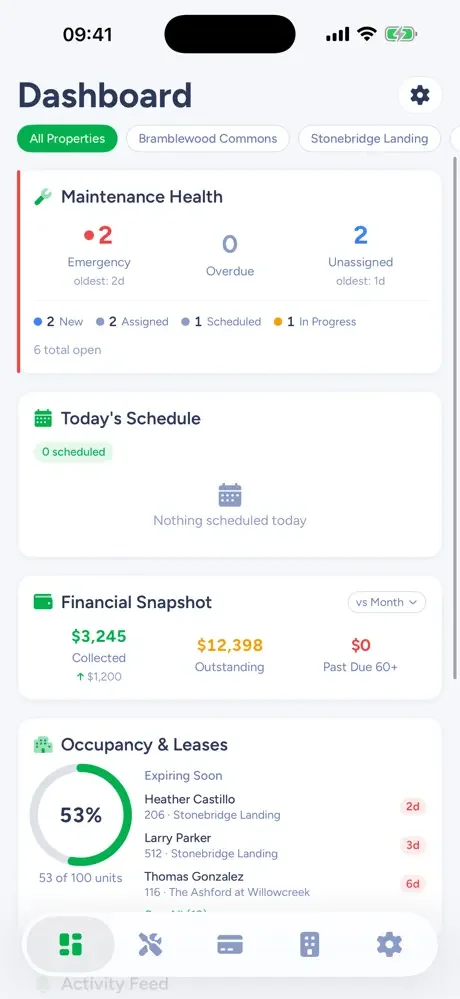
Set Up the Whole Property From Your Phone
Not "view your data on mobile" — actually build the account there. Three steps and rent day runs itself.
Add the property
Address, units, and photos — a duplex takes a couple of minutes, and there's no importer or onboarding call standing between you and a working account.
Add tenants and leases
Attach tenants to units, record lease terms and deposits, and store the signed documents against the lease where you'll actually find them.
Turn on rent collection
Tenants get their own app to pay from, autopay handles the reliable ones, and you see past-due the morning it happens — not at the end of the month.
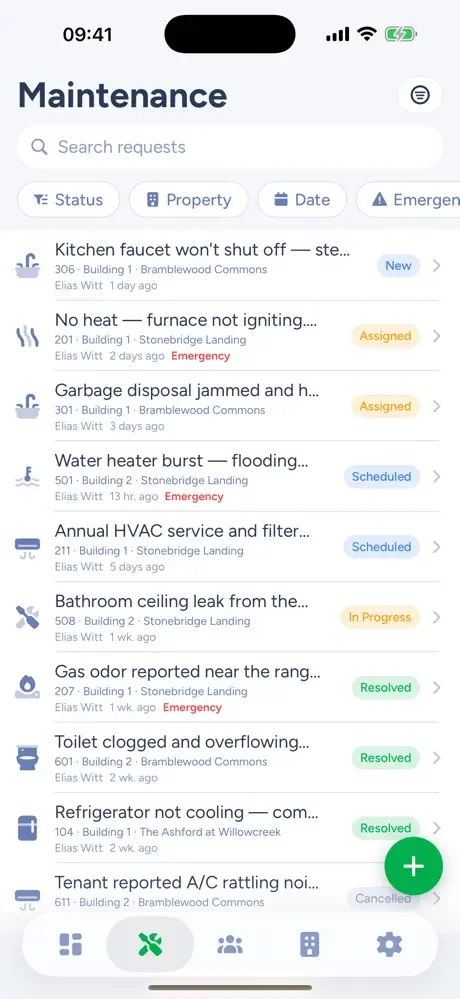
Mobile Property Management, Not a Companion App
Self-managing landlords don't work at a desk. You're at the property, at your day job, or standing in a unit looking at the thing that broke. Mobile property management means the tool works where the work is — the phone is the primary interface, and the desktop is the optional extra.
Everything syncs with the Kelpic web app, so nothing is trapped on the phone. Photograph the leak in the unit, assign the repair from the parking lot, and pull up the full cost history at tax time from a laptop — same account, same records.
A Property Management App Built for Landlords
Not for management companies with a back office — for the owner doing it themselves. Here's the app, job by job.
The Landlord App
The four jobs of being a landlord — rent, repairs, vacancies, records — done from an iPhone.
Rent Collection App
Autopay, card and bank payments, and a ledger that shows collected vs. outstanding at a glance.
Rental Property App
Every property, unit, lease, and tenant record in your pocket — with rent tracking built in.
Maintenance Tracking
Requests arrive with photos, get scheduled, and keep their cost history against the unit.
Frequently Asked Questions
Is there a property management app for iPhone?
Yes. Kelpic is a native iPhone app for landlords — not a mobile website in a wrapper. You can set up a property, add units and tenants, collect rent with autopay, and track maintenance entirely from the app. It is a free download and requires iOS 26 or later.
Can I really manage rentals from my phone, or do I still need a computer?
You can run the whole operation from the phone: property setup, leases, rent, maintenance, applications, and tenant records. Kelpic also runs in any browser with the same data, so a laptop is an option for long sessions — not a requirement.
What is the difference between a rental management app and property management software?
Mostly where it assumes you are. Traditional property management software is desktop-first, with a cut-down companion app for emergencies. A rental management app treats the phone as the primary tool — which matches how self-managing landlords actually work: at the property, at a day job, or wherever the leak is.
Is there an Android app?
Not yet — the native app is iPhone only. Android users get the same features through the web app in any modern mobile browser, without installing anything.