Property Management Accounting Software, Minus the Hype
Kelpic® handles the financial side of property management — rent payments recorded automatically, bills tracked, every dollar visible per property. It is not a full accounting suite, and we will tell you exactly where that line is.
No credit card required · See pricing
Not ready to start? Get product updates.
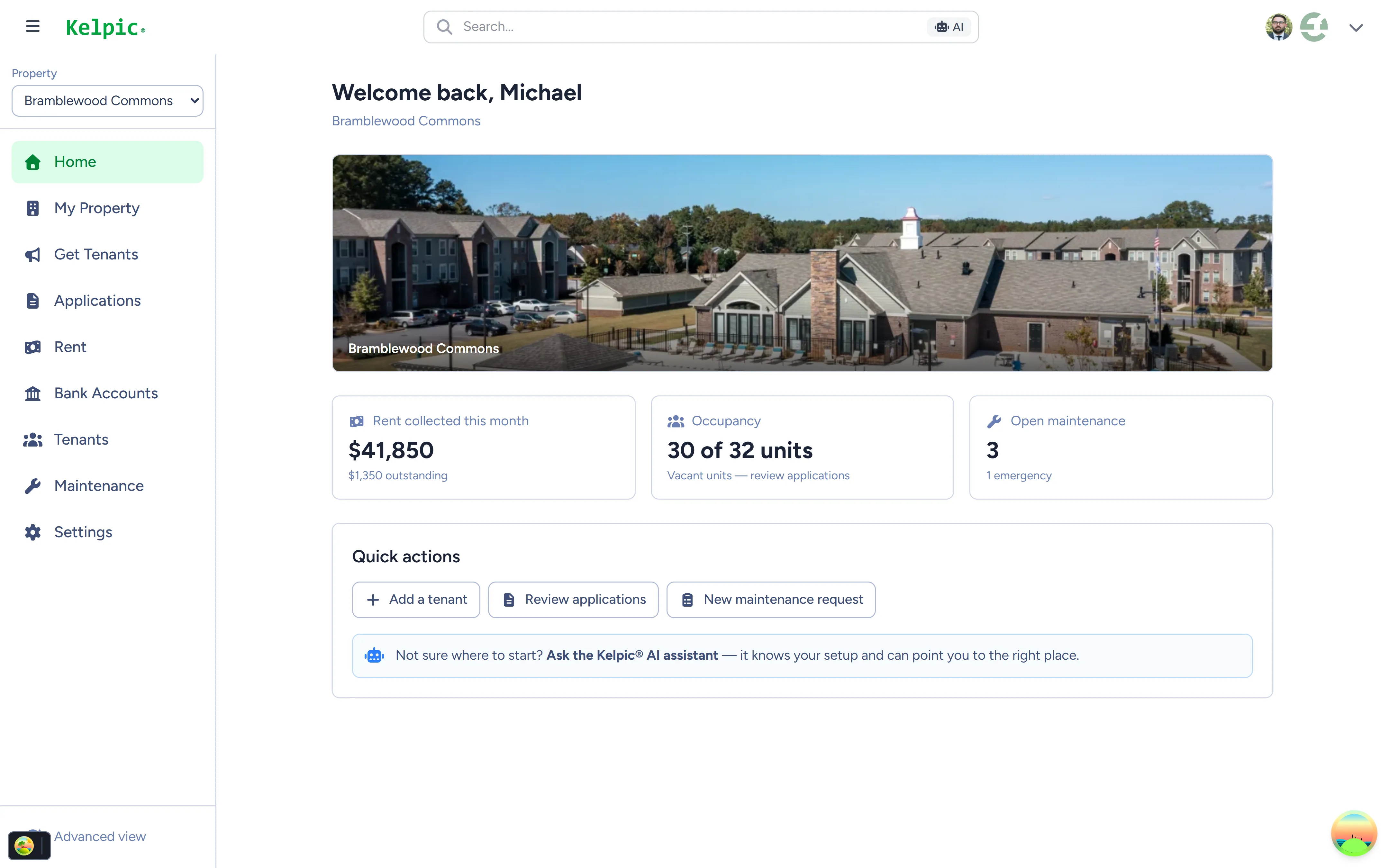
The Kelpic® dashboard — rent collected and portfolio status in one view.
Your Rental Finances Are Scattered Across Five Places
For most landlords, “accounting” means reconstructing what happened after the fact: a bank statement here, a spreadsheet there, a stack of receipts in a drawer, and a nagging feeling that something got missed.
Rent lives in your bank statement.
A deposit hits your account — but which tenant, which unit, which month? When rent arrives by check, Zelle, and transfer, matching payments to leases is a monthly archaeology project. Miss one, and you are chasing a tenant who already paid.
Expenses live in a spreadsheet — when you remember.
The plumber invoice, the insurance bill, the new water heater. Each one gets typed into a spreadsheet weeks later, if at all. By tax season, you are guessing at deductions you actually earned.
Nobody can answer “how is this property doing?”
Everything pools into one bank account, so per-property performance is invisible. You know the portfolio made money. You do not know which property is quietly bleeding it.
The Financial Side of Property Management, Handled
Kelpic® captures your rental finances at the source — where the money actually moves — so the record builds itself instead of waiting for you to type it in.
Rent payments recorded automatically.
Tenants pay online through Stripe, and every payment is logged against the right tenant, unit, and property the moment it happens. Who paid, who is late, what came in this month — answered in one glance.
Bills and expenses, visible.
Track bills alongside the properties they belong to, so the money going out sits next to the money coming in — not in a drawer waiting for tax season.
Per-property and owner-level visibility.
See each property’s financial picture on its own, and roll it up to owner-level dashboards. Know which property is carrying the portfolio — and which one is dragging it.
Custom reports with Dynamic Workspaces.
Build, save, and share the exact financial views you need — for yourself, your partner, or your bookkeeper — without exporting to Excel. Learn more.
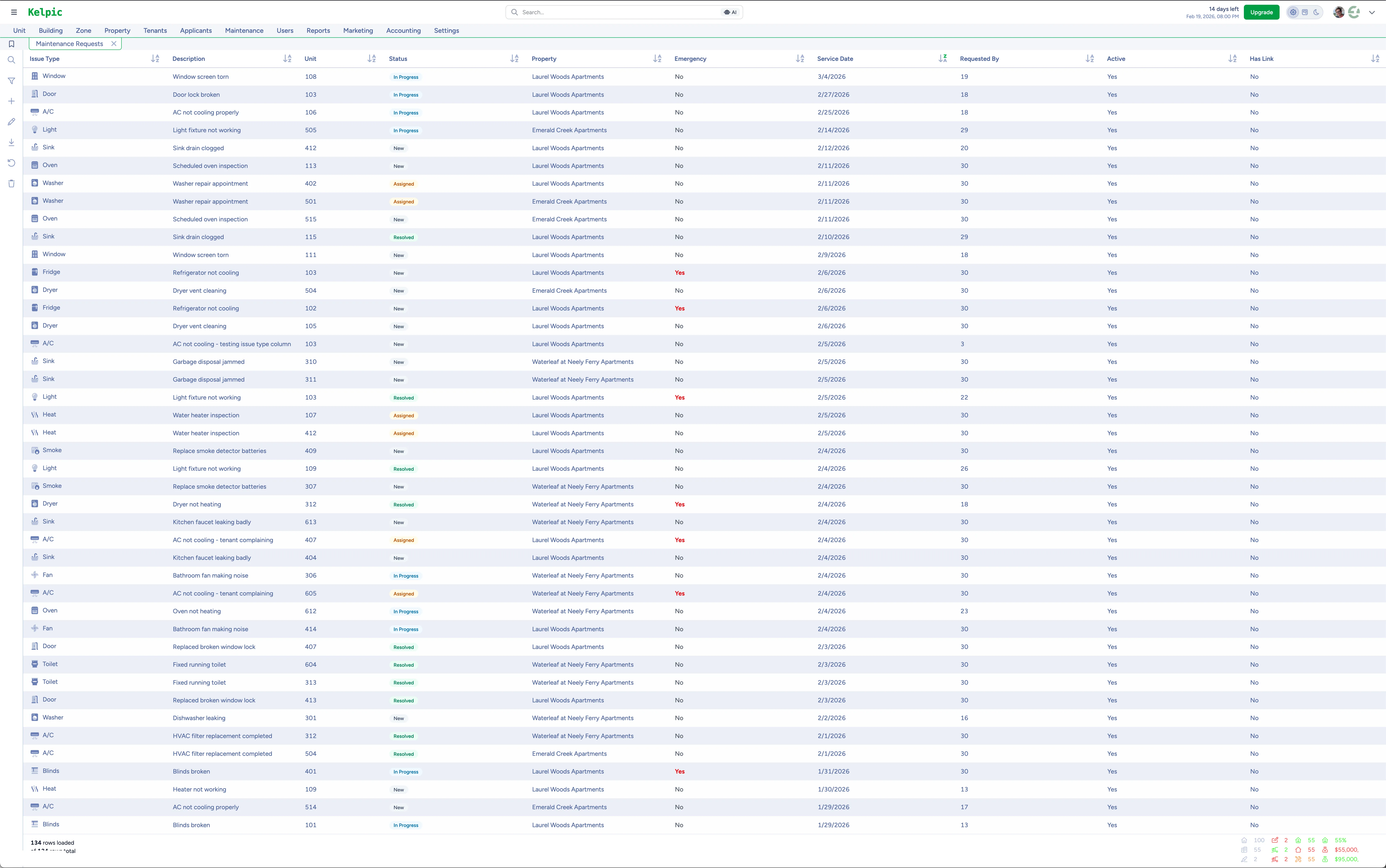
Dynamic Workspaces — build and share the report views your portfolio needs.
What Kelpic® Is — and What It Isn’t
Plenty of software in this category calls itself “accounting” and hopes you will not read the fine print. We would rather you know exactly what you are buying before you spend a dollar.
Kelpic® is
- Financial tracking and reporting for rentals. Rent payments recorded automatically from Stripe collection, bills, and expense visibility per property.
- Owner-level financial dashboards. Roll properties up to the owner and see the whole picture at once.
- Custom, shareable reports. Dynamic Workspaces let you build the views your bookkeeper or partner actually needs.
- The rest of property management too. Rent collection, maintenance, tenant portal, applications — the finances live where the work happens.
Kelpic® isn’t
- A general ledger. No chart of accounts, no double-entry bookkeeping.
- Bank reconciliation software. Kelpic® records payments at the source instead — but it will not reconcile your bank feed.
- Tax software. Your CPA still files your taxes — Kelpic® just hands them clean records instead of a shoebox.
- Trust accounting. If you manage other people’s money and your state requires trust accounts, you need software built for that.
The honest recommendation: if you need full double-entry books, pair Kelpic® with dedicated accounting software like QuickBooks — Kelpic® keeps the property-side records clean so the bookkeeping takes minutes, not weekends. If you run a property management company that needs trust accounting baked into the platform, look at a PM-company suite like Buildium (our honest review). And if bookkeeping is the only thing you want software for, Stessa (our review) is built around exactly that. We would rather point you to the right tool than sell you the wrong one.
Three Ways Landlords Handle Rental Accounting
There is no single right answer — it depends on your portfolio and how formal your books need to be. Here is the honest trade-off for each approach.
Spreadsheets
Free and flexible — and entirely dependent on you remembering to update them. Every rent payment, every expense, typed in by hand. One busy month and the record drifts from reality.
Works until: your second or third unit, when manual entry stops being a chore and starts being a source of errors.
General Accounting Software Alone
QuickBooks and its peers do real double-entry accounting — but they know nothing about tenants, leases, or units. Rent shows up as anonymous deposits you still have to match to the right property, and there is no rent collection, maintenance, or tenant portal at all.
Works until: you get tired of bookkeeping software carrying zero of the actual property management workload.
PM Software With Financial Tracking
Kelpic®’s approach: capture the finances where the money moves. Rent recorded automatically at collection, bills tracked per property, reports built in. Pair it with an accountant or accounting software when you need formal books — they start from clean data instead of raw bank statements.
Best for: landlords who want the day-to-day financial picture automated — and honesty about where the accountant takes over.
Managing 1–50 units? See how the rest of the platform fits your portfolio.
Property Management Software for Small LandlordsOne Flat Price. Financial Tracking Included.
Financial tracking is not an add-on module or an upsell tier. Every Kelpic® account gets the full platform — payments, bills, dashboards, and custom reports — at one flat monthly price that scales with your portfolio.
One plan. Every feature.
Flat monthly price that scales with your portfolio — up to 2,500 units
- Automatic rent payment tracking
- Bills & per-property financial visibility
- Owner-level dashboards & custom reports
- Rent collection, maintenance & tenant portal
Frequently Asked Questions
Is Kelpic® full accounting software?
What financial data does Kelpic® track automatically?
Can I use Kelpic® alongside QuickBooks or other accounting software?
Do tenant rent payments get recorded automatically?
Stop Reconstructing Your Finances After the Fact
Every month on spreadsheets and bank statements is another month of missed expenses and mystery deposits. Let Kelpic® build the financial record automatically — starting with your very next rent payment.
No credit card required · Prefer a walkthrough? Book a free demo
Not ready to start? Get product updates from the team.