Property Management Software for Landlords
Landlording has stages — the accidental first rental, the growing side portfolio, the operation that pays your bills. Kelpic® is one platform that fits the stage you are at today and the one you are heading toward, without switching software along the way.
No credit card required · See pricing
Not ready to start? Get product updates.
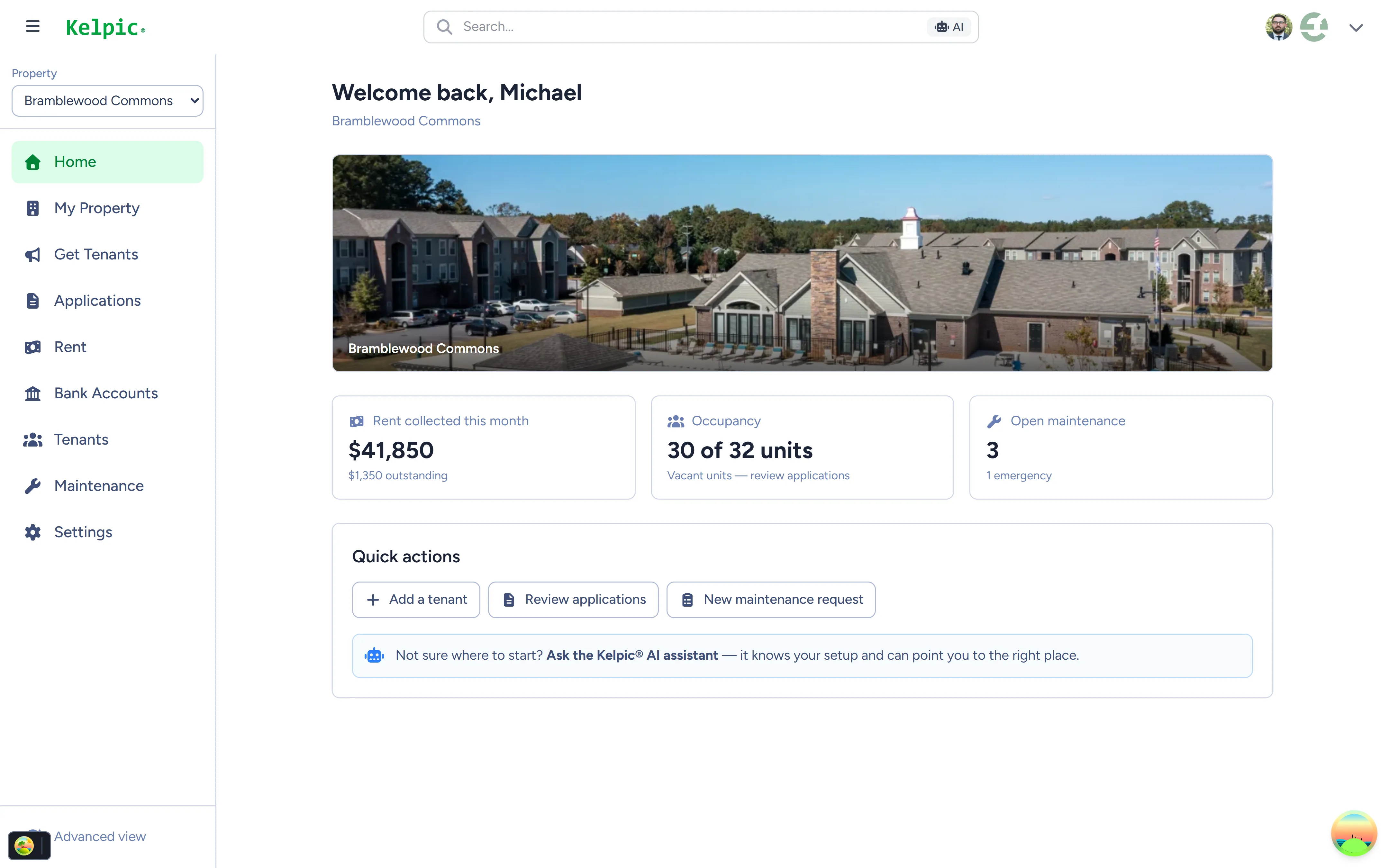
The Kelpic® dashboard — rent, occupancy, and maintenance in one view.
The Three Stages of Landlording
Most landlord software is built for exactly one of these stages — which is why so many landlords end up switching platforms every few years. Find your stage, and see what actually matters at it.
Your First Unit
The accidental landlord
You inherited a house, kept your old condo, or bought one rental on purpose. You do not need an operations platform — you need rent to arrive on time and lease details in one place instead of a shoebox.
- Online rent collection through Stripe — cards, debit, and bank transfers, tracked automatically.
- Lease and tenant details in one dashboard, not scattered across email and paper.
- A tenant portal from day one, so routine questions stop arriving by text message.
Managing 1–10 units? We wrote a full deep dive for this stage:
Property Management Software for Small LandlordsGrowing Portfolio
Roughly 5–20 units
This is where spreadsheets and free tools break. Vacancies, applications, and maintenance requests now overlap — and the cost of dropping one of them is a bad month, not a bad day.
- Maintenance workflows — every request logged, assigned, and tracked from submission to completion.
- Online applications that flow from your property listing page straight into your dashboard.
- A resident portal where tenants pay rent, submit requests, and view lease information themselves.
The stage where "landlord software" quietly needs to become property management software.
Professionalized
Roughly 20–50 units
Landlording is now a business with helpers, contractors, and maybe outside owners. The question stops being “did rent arrive?” and becomes “can everyone see what is happening?”
- Dynamic workspaces — build, save, and share custom reports across your organization without exporting to Excel.
- Inventory management — know what is installed in every unit, what it cost, and which repairs keep recurring.
- Team visibility — one shared, real-time view of properties, rent, and maintenance instead of status-update meetings.
All included in the same Kelpic® plan — nothing to upgrade into.
What to Look For in Landlord Software
Whatever you choose — Kelpic® or anyone else — these four criteria separate software that grows with you from software you will be replacing in two years.
All-in pricing vs. fee stacks
A low sticker price often hides per-unit minimums, setup fees, paid add-ons, and tenant-paid charges that land on your renters. Add up the real monthly cost for your unit count before comparing anything else. Flat, all-features-included pricing is easier to budget and easier to trust.
Operations depth
Rent collection is table stakes. The gap between tools shows up in operations: can it track a maintenance request from submission to completion, show you recurring problems in a unit, and report across the portfolio? If you plan to grow, buy for the operations you will have, not just the rent you collect today.
Tenant experience
Your tenants use this software too. A portal that is confusing, unreliable, or loaded with fees makes you look bad and pushes tenants back to calls and texts. Look for a clean portal where paying rent and submitting a maintenance request are genuinely easier than not using it.
Speed
Landlords touch their software dozens of times a day, so page loads compound. Six-second screens turn into hours of dead time every month. Test the actual product before you commit — a trial or live demo will tell you more about day-to-day speed than any feature checklist.
Want to apply these criteria to specific tools? We publish honest breakdowns of the major platforms in our software reviews and side-by-side comparisons.
How Kelpic® Measures Up
One plan, every feature, every stage. Here is what is inside.
Online Rent Collection
Tenants pay online through Stripe — credit cards, debit cards, and bank transfers. Payments are tracked automatically, so you always know who has paid.
Learn moreReal-Time Maintenance Tracking
Every request logged, assigned, and tracked from submission to completion — with unit-level history so recurring problems surface before you pay for them twice.
Property Inventory Management
Track parts, materials, and appliance models used during maintenance. Know exactly what is installed in every unit and what it cost.
Resident Portal
Tenants get their own login to pay rent, submit maintenance requests, and view lease information — no phone calls for routine tasks.
Learn moreOnline Unit Applications
Prospects apply directly through your Kelpic® property listing page, and applications flow straight into your dashboard.
Learn moreDynamic Workspaces
Create, save, and share custom reports across your organization — the data you need, the way you need to see it, without exporting to Excel.
Learn more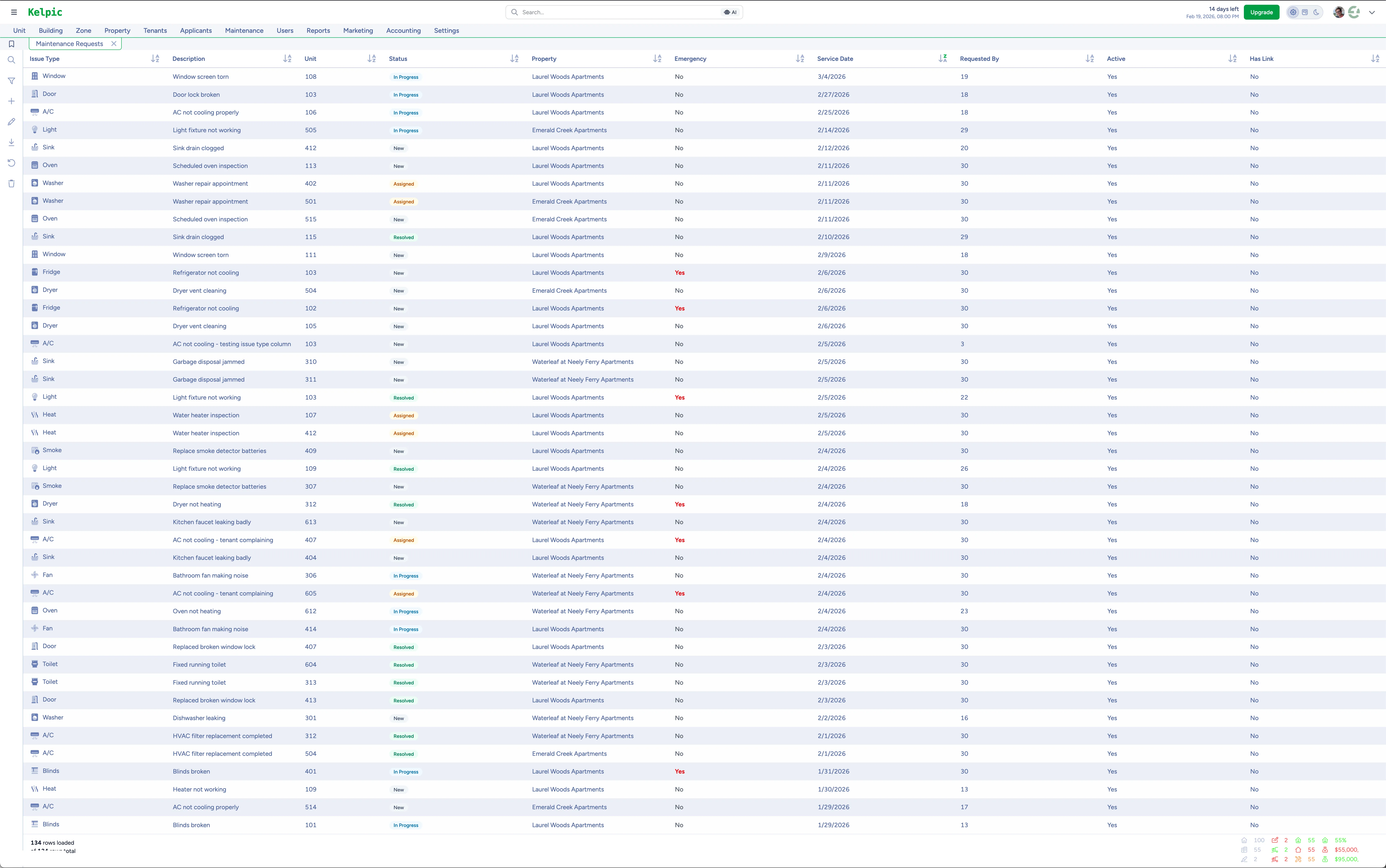
Maintenance tracked across the whole portfolio in one workspace.
Fast on the web. With you on the go.
Kelpic® is engineered on Go, React, and PostgreSQL for sub-second performance — pages built to load in under a second, so you spend your time on properties, not progress bars.
A native iOS app is included, so you can check rent status, triage maintenance, and pull up tenant details from anywhere. Everything syncs in real time with the web dashboard, and an Android app is planned.
Download on the App StoreOne Plan for Every Stage of Landlording
No feature tiers, no forced upgrades when you grow. A flat monthly price that steps with your portfolio — and every feature on this page included from unit one.
One plan. Every feature.
Flat monthly price that scales with your portfolio — up to 2,500 units
- Online rent collection
- Maintenance & inventory tracking
- Resident portal & online applications
- Dynamic workspaces & native iOS app
Frequently Asked Questions
What’s the difference between landlord software and property management software?
Are free landlord software tools good enough?
How many units do I need for Kelpic® to make sense?
Can my tenants pay rent online through Kelpic®?
Whatever Stage You’re At, Start Here
First rental or fiftieth unit — Kelpic® gives you rent collection, maintenance, applications, and reporting in one plan that grows with you. No switching software when you level up.
No credit card required · Prefer a walkthrough? Book a free demo
Not ready to start? Get product updates from the team.