Collect Rent, Track Maintenance, and Fill Vacancies — All in One Place
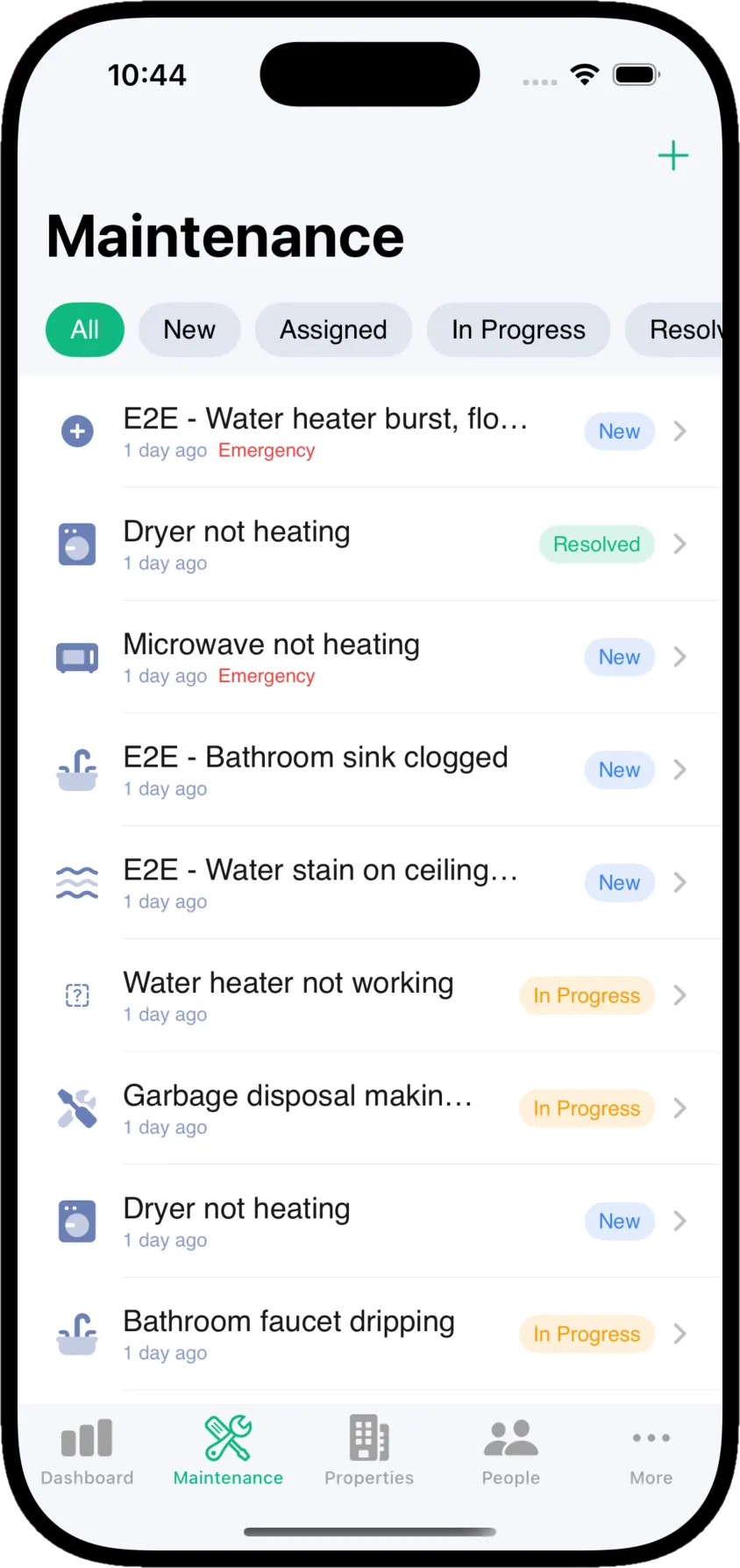
Every property gets a public website where prospects apply online. Every tenant gets a portal to pay rent and report issues. You get one dashboard — and a native iOS app for the field.
Live Demo Data
78 Tenants


Every property gets its own public website
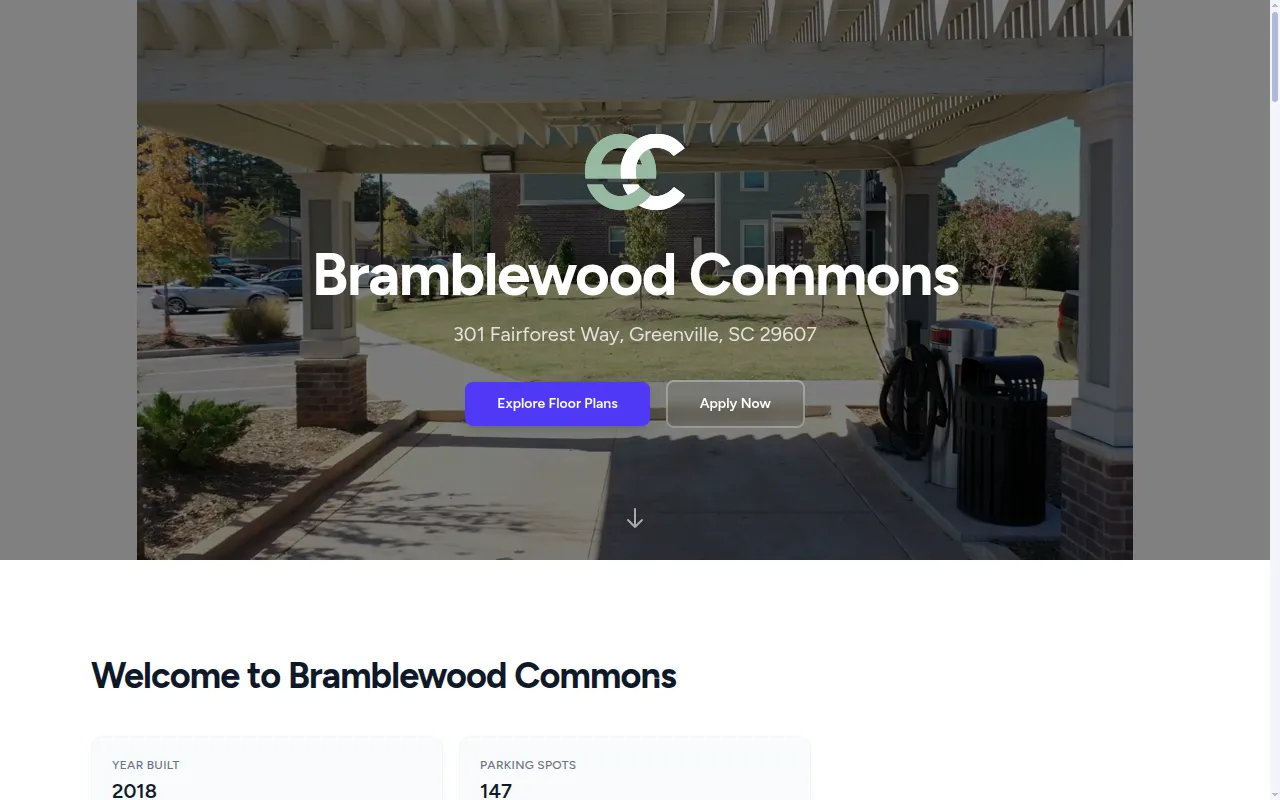
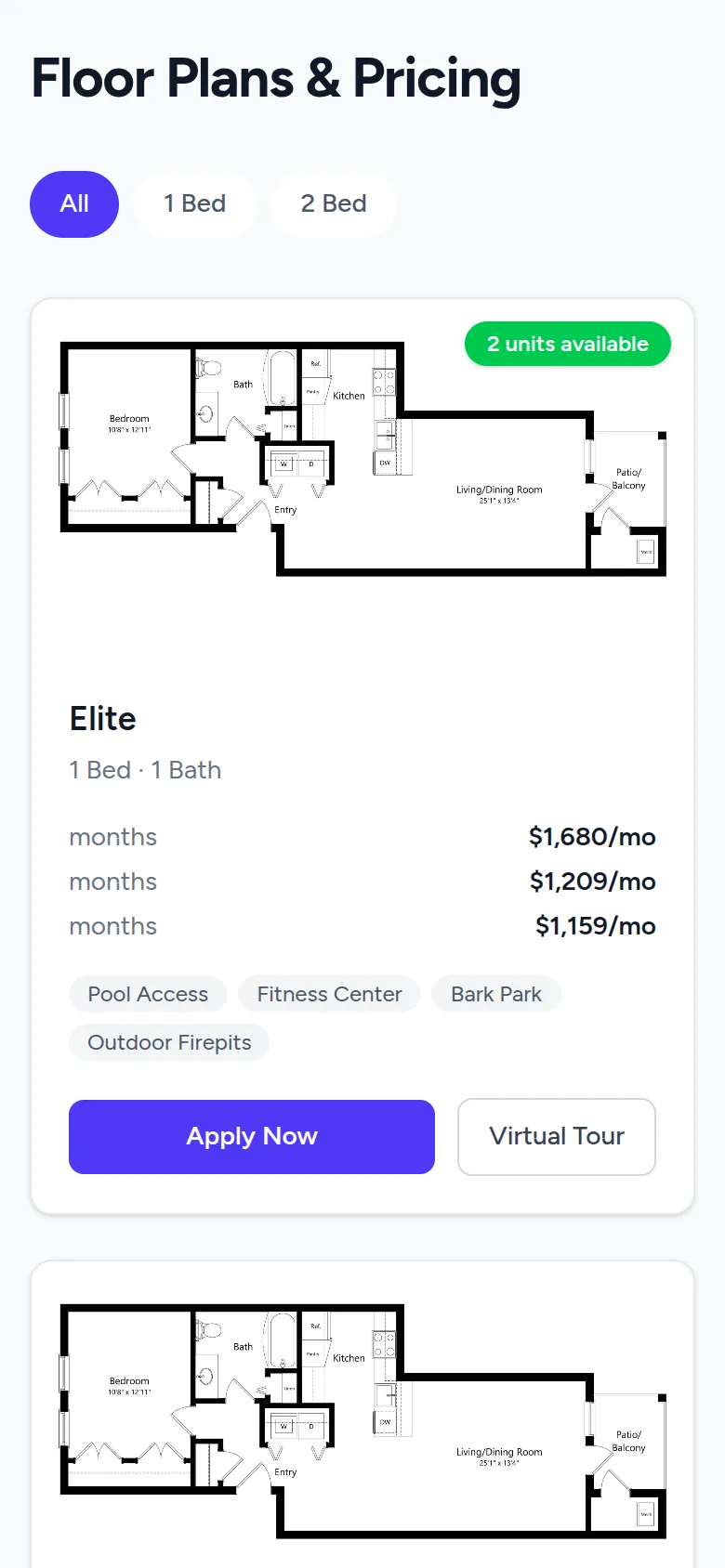
Add a property to Kelpic and it gets a polished, mobile-friendly website — floor plans with current pricing and availability, photo galleries, virtual tours, your leasing team, and a built-in online application. Prospective tenants click Apply Now and their application lands in your Kelpic dashboard. No web developer required.
Applications flow
Straight to your dashboard
Online applications built in
Prospects apply from any floor plan. Applications arrive in Kelpic, ready for screening.
Live floor plans & pricing
Rents, lease terms, and unit availability come straight from your Kelpic data — always current.
Photos, tours & your team
Photo galleries, 3D virtual tours, amenities, and leasing staff contact info — all on one page.
Zero setup headaches
Fill out your property profile and the site is generated — your branding, your logo, mobile-friendly.
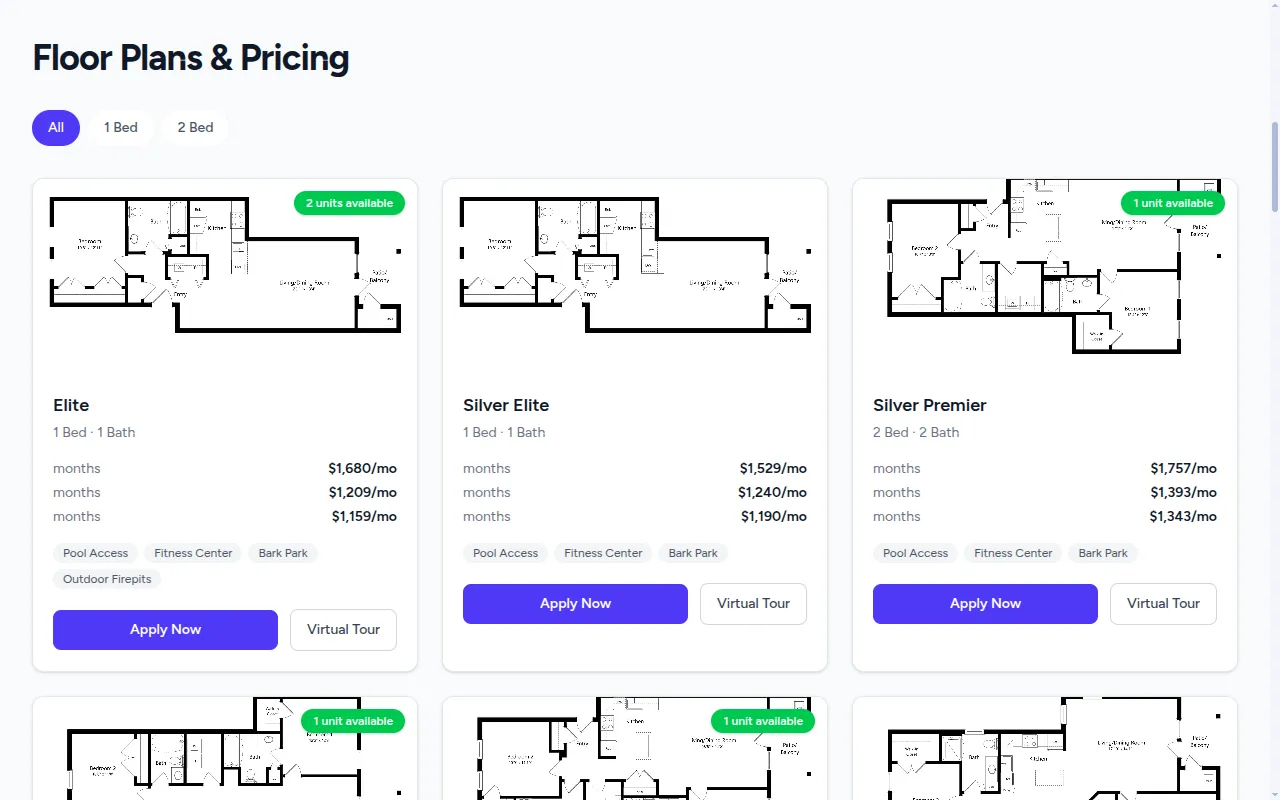
Floor plans, pricing, and availability — with a virtual tour for every layout
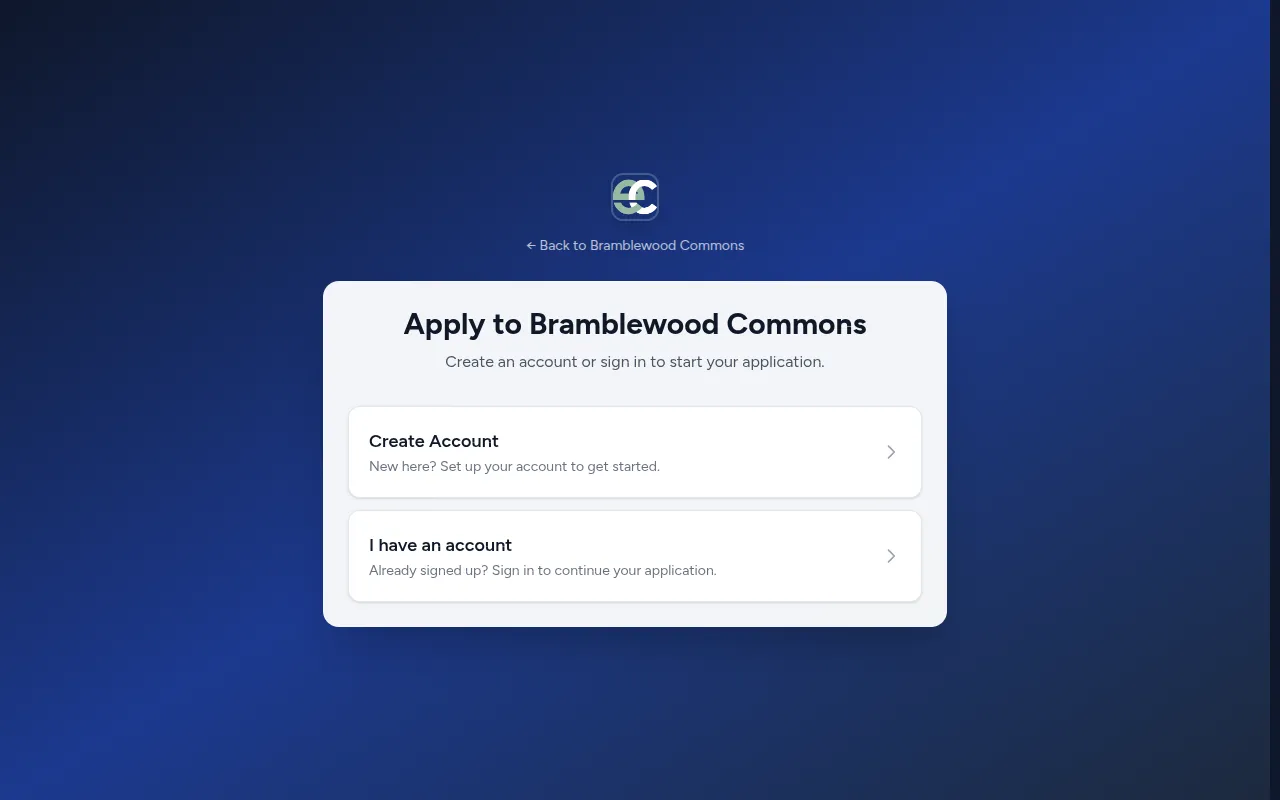
Prospects apply online — no paper, no PDFs, no email attachments
A portal your tenants will actually use
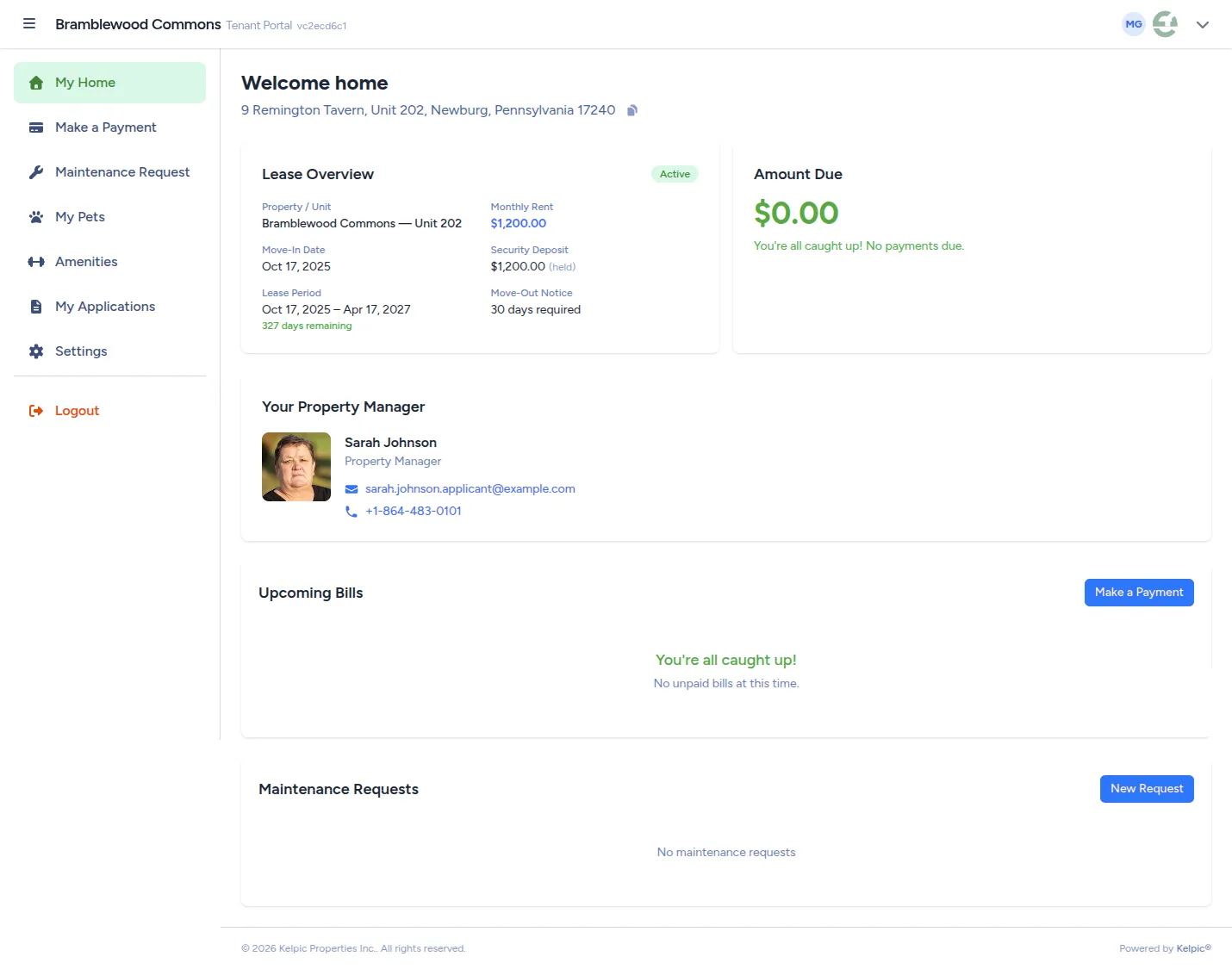
Every tenant gets a secure portal with their lease, their bills, and one obvious way to pay rent or report a problem. Fewer calls, fewer texts, fewer “did you get my check?” conversations.
Pay rent in a couple of clicks
Tenants see exactly what's due and pay online. Upcoming bills, payment history, and autopay live in one place.
Maintenance requests with photos
Tenants submit issues with photos and details, then follow the status — instead of calling your office for updates.
Lease details, always at hand
Lease terms, deposits, move-in dates, and documents — available to tenants without a phone call to your office.
A direct line to their manager
Tenants always know who manages their home and how to reach them — contact info is right on their home screen.
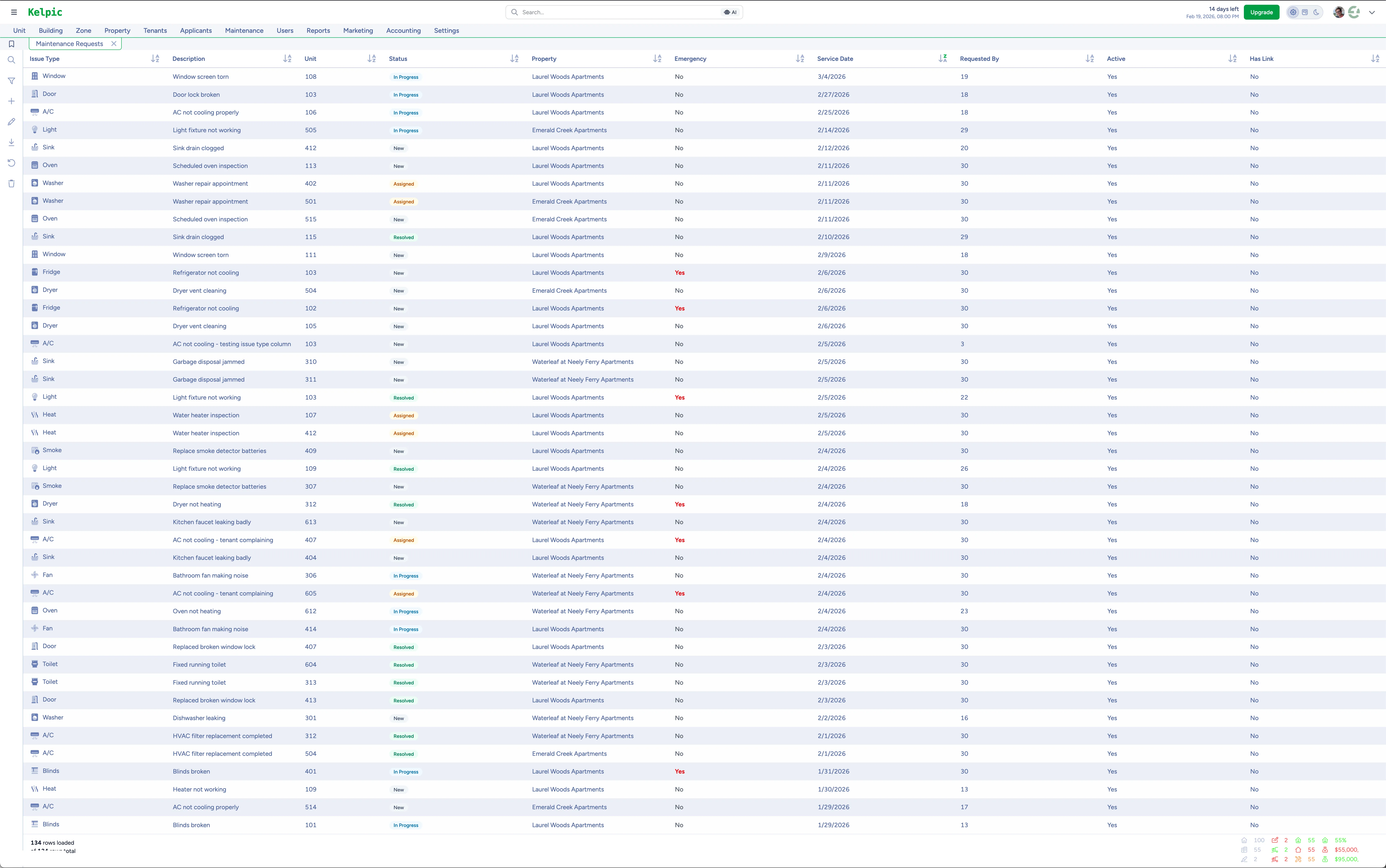
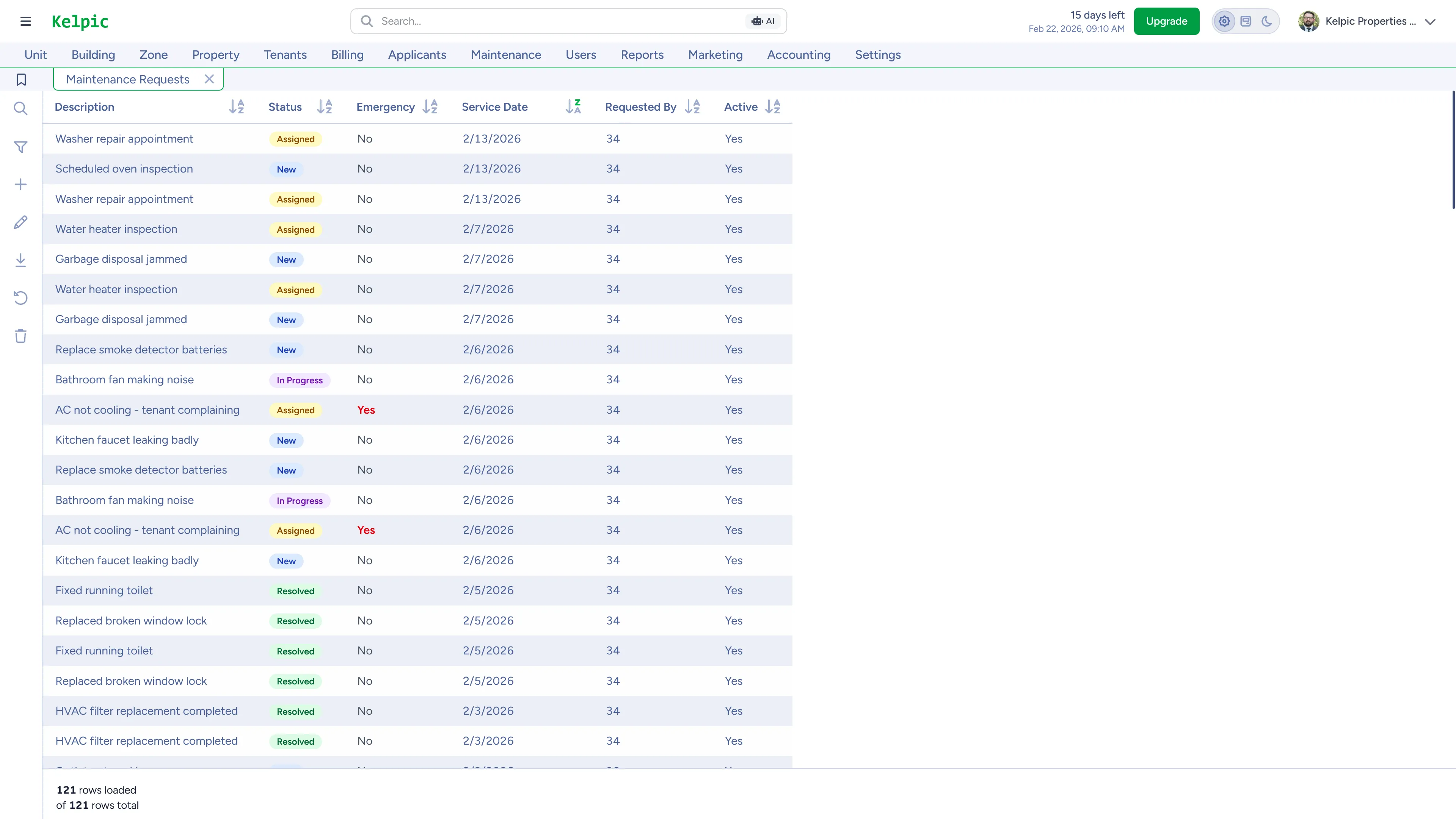
Every work order, every property, in real time
A tenant reports a leak. You triage it, assign it, and watch it move to done — from your desk or your phone. No phone tag, no end-of-day surprises, no lost work orders.
From request to work order in seconds
Tenant requests arrive with photos and details. Triage, prioritize, and assign without re-typing anything.
Real-time status, portfolio-wide
Your office sees every active job at every property as it updates — not in tomorrow's recap.
A full history on every unit
Every request, repair, and update is logged against the unit — so you know what happened and when.
Works where the work happens
Update work orders from the native iOS app mid-walkthrough — everything syncs to the office instantly.
Rent that collects itself
Tenants pay online through Stripe — bank account or card — with autopay so rent shows up without anyone chasing it. You see exactly who's paid and who hasn't, the moment it happens.
Autopay that sticks
Tenants set it once and rent arrives on schedule, every month — the end of “the check is in the mail.”
Instant ACH verification
Tenants link a bank account in seconds through Stripe — no voided checks, no micro-deposit waiting game.
Payouts routed your way
Send rent direct to the owner, to your management company, or split it — configured per property.
Every payment, accounted for
Payment history and outstanding balances stay current automatically — ready for reporting and tax time.
June Rent — Unit 204
$1,450.00
Payment history
Payments processed securely by Stripe
Your Properties Don't Wait for You to Get Back to Your Desk
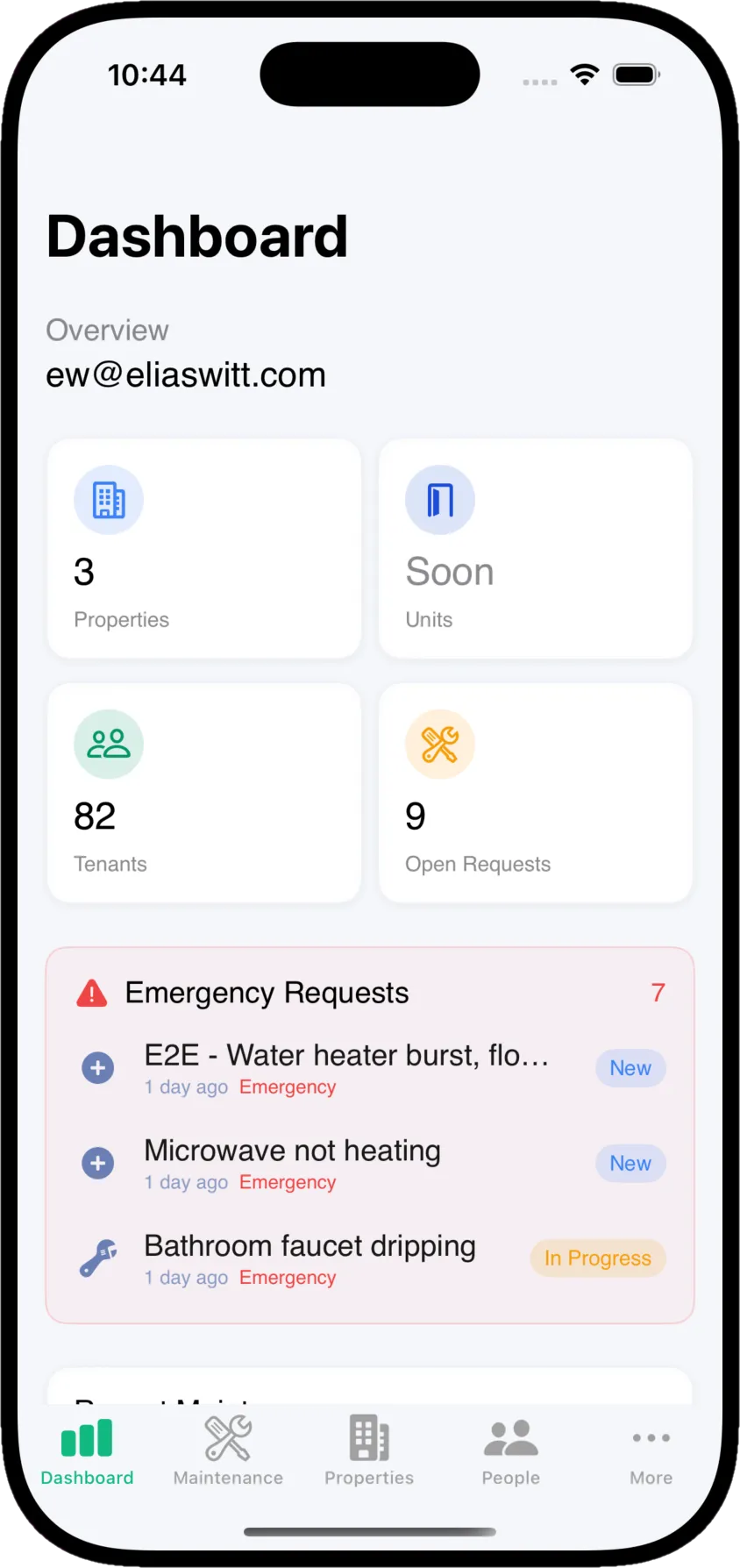
Kelpic's native iOS app is built for how property managers actually work — on-site, between properties, mid-walkthrough. Approve maintenance requests, update work orders, and stay on top of your portfolio without opening a laptop. Not a shrunken desktop dashboard — a real app designed for managing properties on the go.
Maintenance on the spot
Triage, assign, and track work orders the moment they come in.
Real-time notifications
Know when a tenant submits a request or a vendor updates a job. Instantly.
Full portfolio access
Every property, every unit, every tenant — in your pocket.
Syncs with your dashboard
Every action on mobile syncs instantly with desktop. One source of truth.
Try Kelpic free for 14 days
Set up a property, share its website, invite a tenant, and collect a payment — see the whole platform working before you pay a dime.
Start Your 14-Day Free Trial
Sign up in minutes and get full access to everything you've seen on this page.
- Full access to all features
- Unlimited properties on every plan
- Native iOS app included
Schedule a Demo
Get a personalized walkthrough of Kelpic with our team. See how it can work for your specific needs.
- Personalized demonstration
- Q&A with our team
- No sales pressure