Automated Rent Collection for Landlords
Kelpic® is rent collection software for landlords and property managers. Tenants save a card or bank account once and pay in one click through Stripe — or set autopay and never think about it again. You choose, per property, whether the money lands directly in the owner's account or in yours.
No credit card to start. Bring your own Stripe account or open one during onboarding.
- Card, debit, ACH, Apple Pay, Google Pay
- Instant ACH verification (no micro-deposits)
- Tenant autopay built in
- Owner payouts handled by Stripe
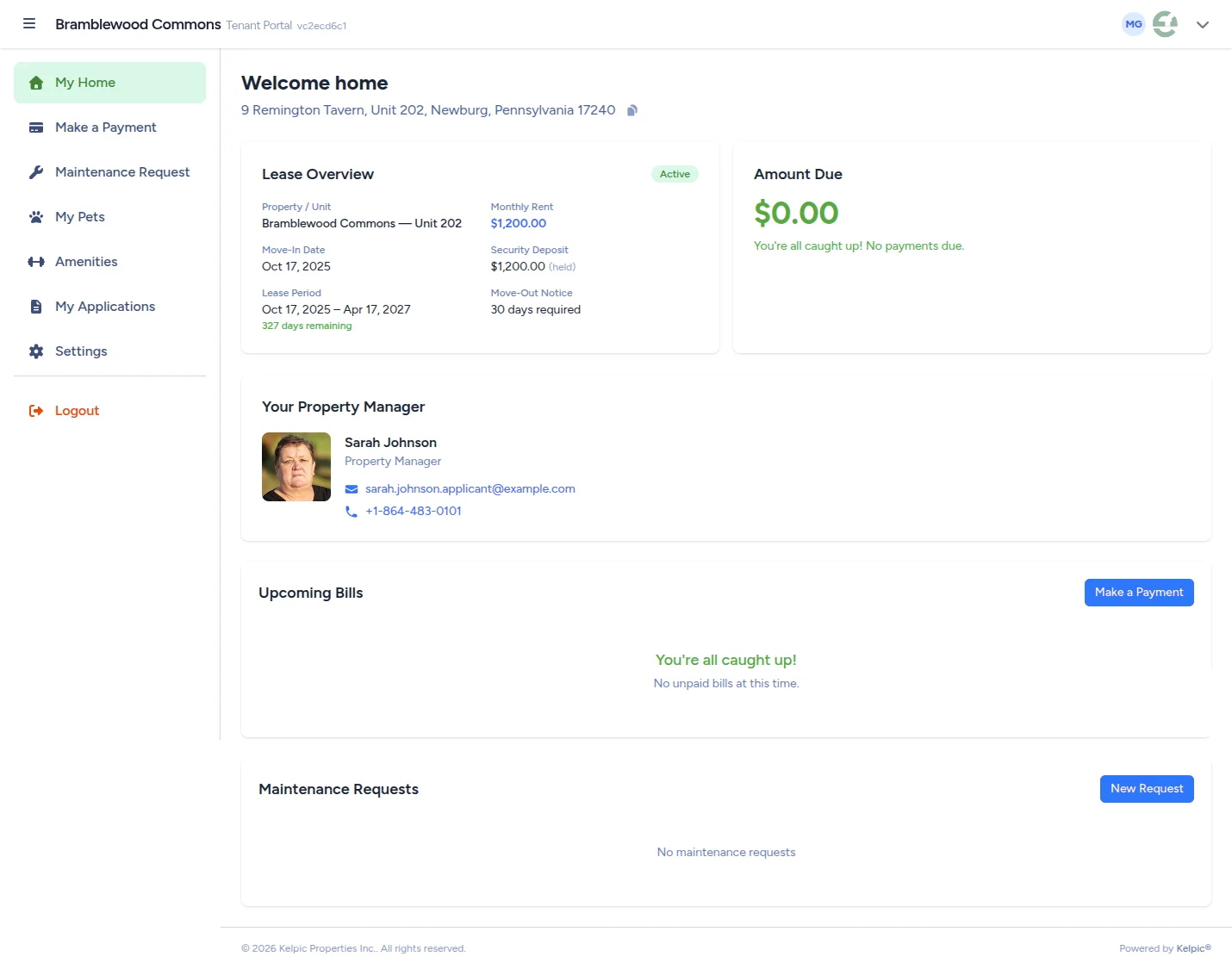
Tenant Portal — pay rent in one click
For tenants
Save a payment method once. Pay forever.
No bank bill-pay setup. No mailed checks. No third-party redirect. Tenants pay rent inside your branded portal in seconds.
Every common payment method
Credit and debit cards, ACH bank transfer, Apple Pay, Google Pay, and Stripe Link — all backed by the same Stripe rails the largest online businesses run on.
Instant ACH, no waiting
Bank accounts verify instantly through Stripe Financial Connections — no three-day micro-deposit delay before a tenant can pay rent for the first time.
Autopay built in
Tenants set it once, pick a day of the month, and rent is collected automatically. Fewer late payments, fewer awkward reminder calls.
The tenant experience
What tenants actually see when they log in
Online rent collection only works if tenants actually use it, so the portal is deliberately simple. When a tenant signs in, the first thing on screen is the amount due and a Make a Payment button — not a menu maze. From there they can:
- See what they owe and what is coming — the current amount due plus upcoming bills, so the first of the month is never a surprise.
- Pay in one click — with a saved card or bank account, Apple Pay, or Google Pay. No re-entering account numbers every month.
- Manage saved payment methods — added once, verified instantly, stored securely by Stripe. Kelpic never sees the card number.
- Set up autopay — pick a day of the month and rent collects itself (more on this below).
- Submit maintenance requests — the same login handles repairs, so rent is not the only reason tenants keep the portal bookmarked.
The whole point: remove every excuse between a tenant and an on-time payment. See the tenant portal feature page for everything else it does.
Payment methods
ACH or card? The honest trade-offs.
Kelpic supports both rails, because each one is the right answer in a different situation. Here is how they actually compare for rent.
ACH bank transfer
The workhorse for recurring rent. ACH is by far the cheapest way to move money — processing fees are a fraction of card fees — which matters every single month on a payment as large as rent.
- Lowest processing cost of any method — the natural pairing with autopay.
- Setup is instant: bank accounts verify through Stripe Financial Connections with no micro-deposit wait.
- Settlement is slower — an ACH payment takes a few business days to clear the banking system before it can pay out.
Debit, credit & digital wallets
Cards, Apple Pay, and Google Pay confirm in seconds. That speed is worth paying for when a tenant is catching up, moving in mid-month, or simply lives on their phone.
- Instant confirmation — you know immediately that the payment went through.
- Credit cards give tenants flexibility in a tight month — often the difference between rent on the 1st and rent on the 10th.
- Higher processing fees than ACH — standard Stripe card rates apply.
You do not have to pick one for everybody. Every tenant chooses their own method from the portal, and standard Stripe processing fees apply to each payment.
Payout timing
From tenant click to money in the bank
A fair question to ask any rent collection software: who holds the money, and for how long? With Kelpic the answer is simple — Stripe moves it, and Kelpic never holds your rent.
Tenant pays
The payment is charged through Stripe the moment the tenant clicks pay — or automatically on their autopay day. Kelpic records it against the right tenant, unit, and month immediately.
Payment settles
Cards and wallets confirm right away; ACH takes a few business days to clear the banking network. Either way, the status is visible in your dashboard the whole time — no guessing whether a check is in the mail.
Stripe pays out
Settled funds deposit into the connected bank account on that Stripe account's payout schedule — controlled from the account holder's own Stripe dashboard. In Direct-to-Owner mode, your management fee splits off in the same charge.
Automated rent collection
How a tenant sets up autopay — start to finish
Autopay is the single biggest lever against late rent, and it lives on the tenant's side — they opt in, they pick the day, and the friction disappears for both of you. The whole setup takes a couple of minutes:
- 1
Log in to the tenant portal. Every tenant on a lease gets their own login when you invite them.
- 2
Save a payment method. A bank account verifies instantly through Stripe — no waiting days for micro-deposits — or the tenant can save a card instead.
- 3
Turn on autopay and pick a day. The tenant chooses the day of the month that fits their payday, and rent is collected automatically from then on.
- 4
Done — for good. Each month's payment shows up in your dashboard like any other, recorded against the right tenant and unit. No reminder texts, no "did you get my check?"
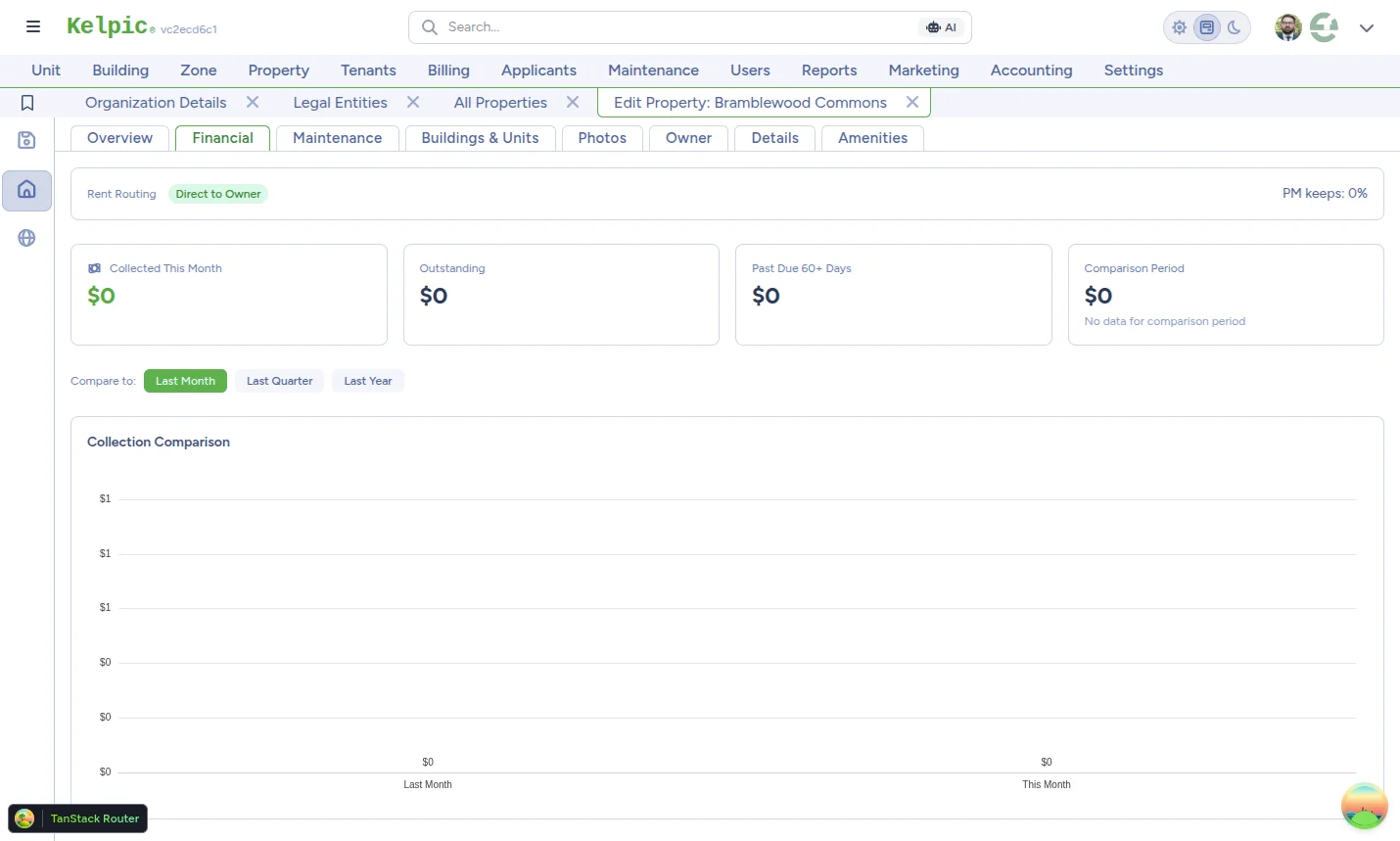
Property settings — pick the routing mode and management fee per property
For property managers
Two ways the money can flow. You choose, per property.
Run direct-to-owner properties and trust-accounting properties side by side, on one dashboard. No bolt-on tools, no separate logins.
Direct to Owner
DefaultRent lands in the owner's Stripe account. Your management fee — a percent of rent, a flat dollar amount, or both — is split off in the same charge and lands in your account. No manual reconciliation, no monthly write-a-check ceremony.
Managed by Org
Rent lands in your Stripe account. You disburse to owners on your own schedule — useful for full-service shops that pool funds, invoice owners separately, or run trust accounting.
Built on Stripe
Payment processing with Stripe-grade compliance, zero work for you.
All payment processing runs on Stripe. Connect your account once during onboarding, and Stripe handles KYC for owners, 1099-K reporting, NACHA rules for ACH, and PCI compliance — Kelpic never touches a card number.
PCI-scope reduction
Card details enter through Stripe Elements directly. Kelpic never sees, stores, or touches a raw card number.
1099-K reporting for owners
In Direct-to-Owner mode, each owner's payouts roll up to their own 1099-K — you don't have to chase end-of-year tax forms.
Owners self-serve onboarding
Owners can connect their own Stripe account through the Owner Portal. You don't have to play middleman for KYC documents.
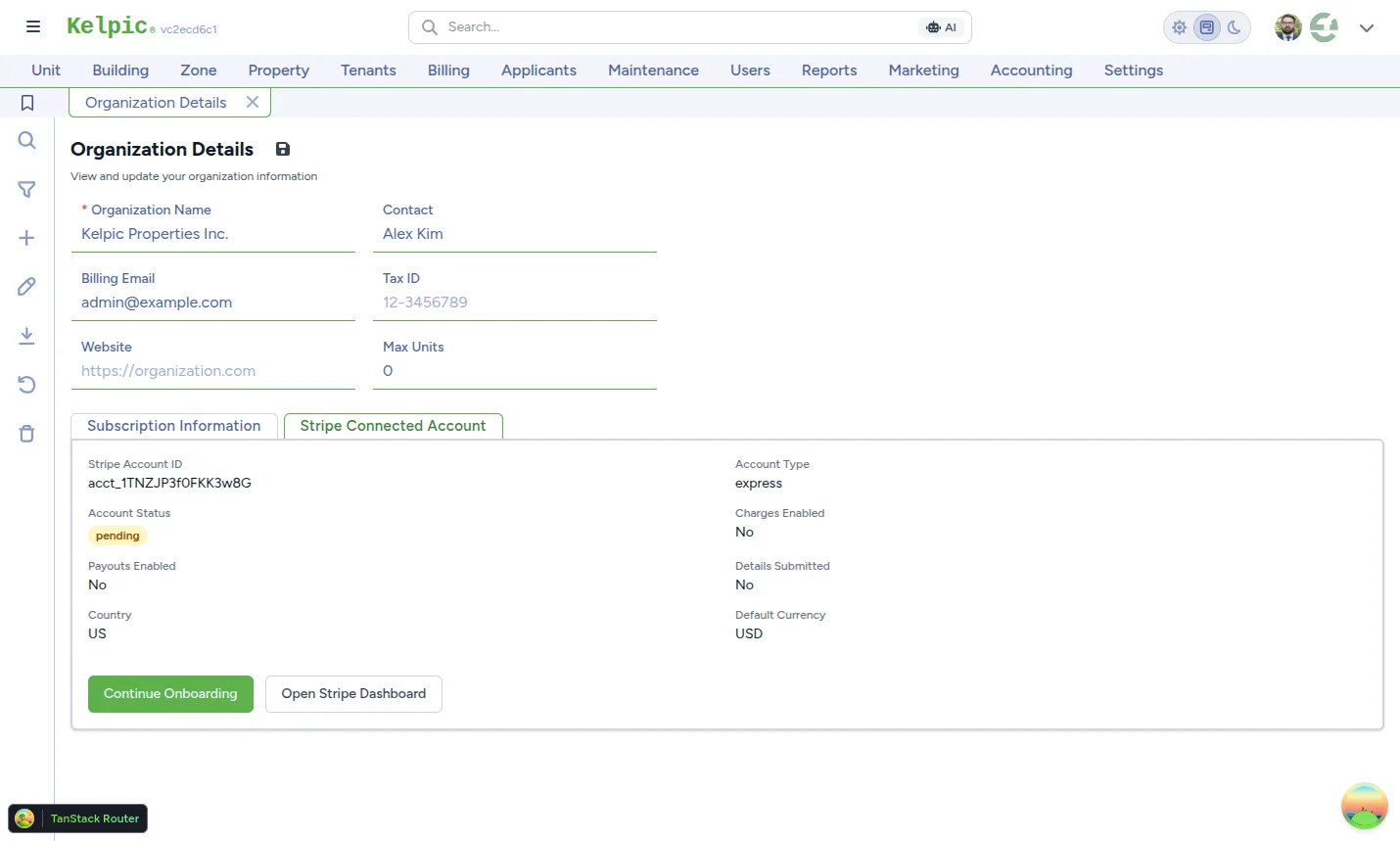
Connect Stripe once during onboarding
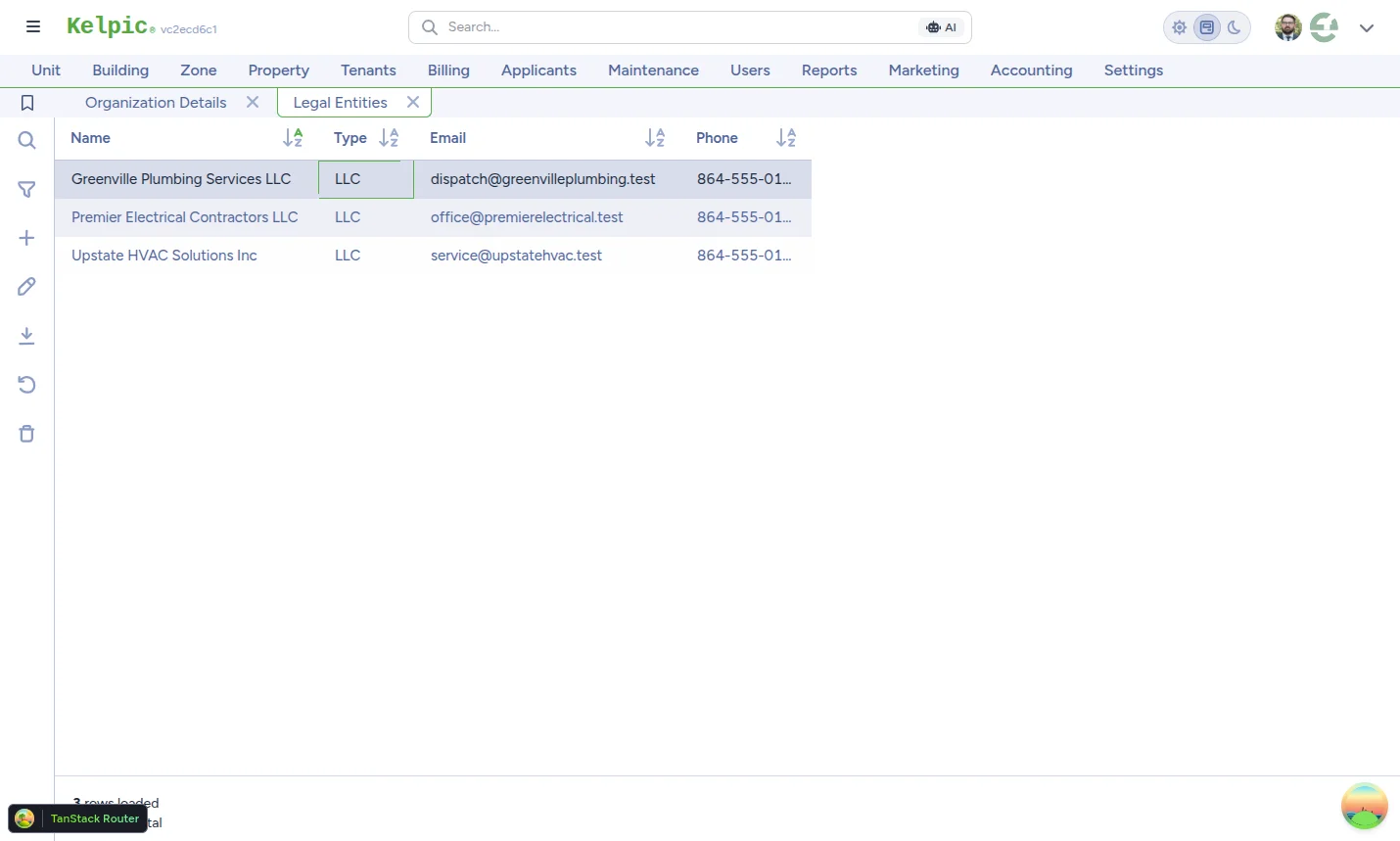
Owner payouts
One owner, one LLC, one payout destination.
Each property points to a Legal Entity — the LLC, partnership, or individual that actually owns the building. That entity connects its own Stripe account and receives payouts on its own schedule.
- Set a per-property management fee — percent of rent, flat dollar amount, or both.
- Owners control their own payout schedule from inside Stripe.
- Mix Direct-to-Owner and Managed-by-Org properties in the same org.
Rent tracking
When rent is late, you know first — and you stay in control.
Collecting the money is half the job. The other half is the record: who paid, who is behind, and what is still owed. Kelpic keeps that ledger for you, automatically — without ever acting on your tenants behind your back.
See who is behind — and by how many days
Your rent dashboard shows every open bill with how many days past due it is, per tenant and per unit. No spreadsheet math, no logging into a bank account to reverse-engineer who paid. You see the problem the day it starts, not at month-end.
Configurable late-fee rules
Set late-fee rules as a percentage of rent, a flat amount, or both — as an organization-wide default, per property, or per lease, with the most specific setting winning. Kelpic never adds a fee or messages a tenant on its own; you see the rule, you see the days behind, and you decide what happens next.
Partial payments don't vanish
When a payment covers less than the full amount due, the bill stays open with the remaining balance — never a misleading "paid" checkmark. The record of what came in, when, and what is still owed is exactly what a late rent notice — or a judge — will ask for.
A ledger that builds itself
Every payment — online, or a check you record by hand — is logged against the right tenant, unit, and property the moment it happens, feeding your financial reporting without manual entry. Come tax season, the year's rent history is already there.
Collect rent from your phone.
Kelpic's native iOS app puts the full property-manager dashboard in your pocket. Track payments, send invoices, and chase a late tenant from the line at the coffee shop.
Rent Collection FAQ
How do tenants pay rent through Kelpic?
Should tenants pay rent by ACH or by card?
How fast does rent reach the bank account?
Does Kelpic apply late fees automatically?
What happens if a tenant makes a partial payment?
Do I need a Stripe account to collect rent with Kelpic?
How much does online rent collection with Kelpic cost?
Ready to get rent in the bank, on time?
Start a free trial of Kelpic®. Set up a property, invite a tenant, and collect your first online payment today.
Kelpic is a registered trademark of Kelpic LLC. Stripe processing fees apply.